Project management · Internal SaaS
Azirgo KanbanAn agency's boards, tasks, alerts and weekly podcast schedule in a single dashboard
Azirgo's internal project manager: kanban boards, tasks with assignees, automatic alerts and emails, and the weekly tasks behind its podcasts.
Technologies
- Next.js 16
- React 19
- TypeScript
- Supabase (PostgreSQL + Auth + Realtime + RLS)
- Tailwind CSS v4
- shadcn/ui (Radix UI)
- dnd-kit
- Zustand
- Motion
- Resend
- React Email
- node-cron
- DigitalOcean Spaces (AWS SDK S3)
- Docker
19
Supabase tables in use
14
SQL migrations
16
API endpoints
3
cron-driven processes
4
email templates
3
views per board
My role
Web & applications developer: I designed and built the whole application - interface, data model and RLS policies, emails, scheduled jobs and the programmes module - as the repository's sole author, at Azirgo SAS.
The problem
An agency that builds software and produces podcasts every week has teams that barely overlap, yet they all start the day with the same question: what is due today, who owns each task and what changed since yesterday. On top of that sits the production of the shows: every episode has to be edited, given a thumbnail, cut into clips and scheduled before its publishing time, week after week, and a generic task such as “episode of 25 August” tells nobody what actually needs doing.
What I built
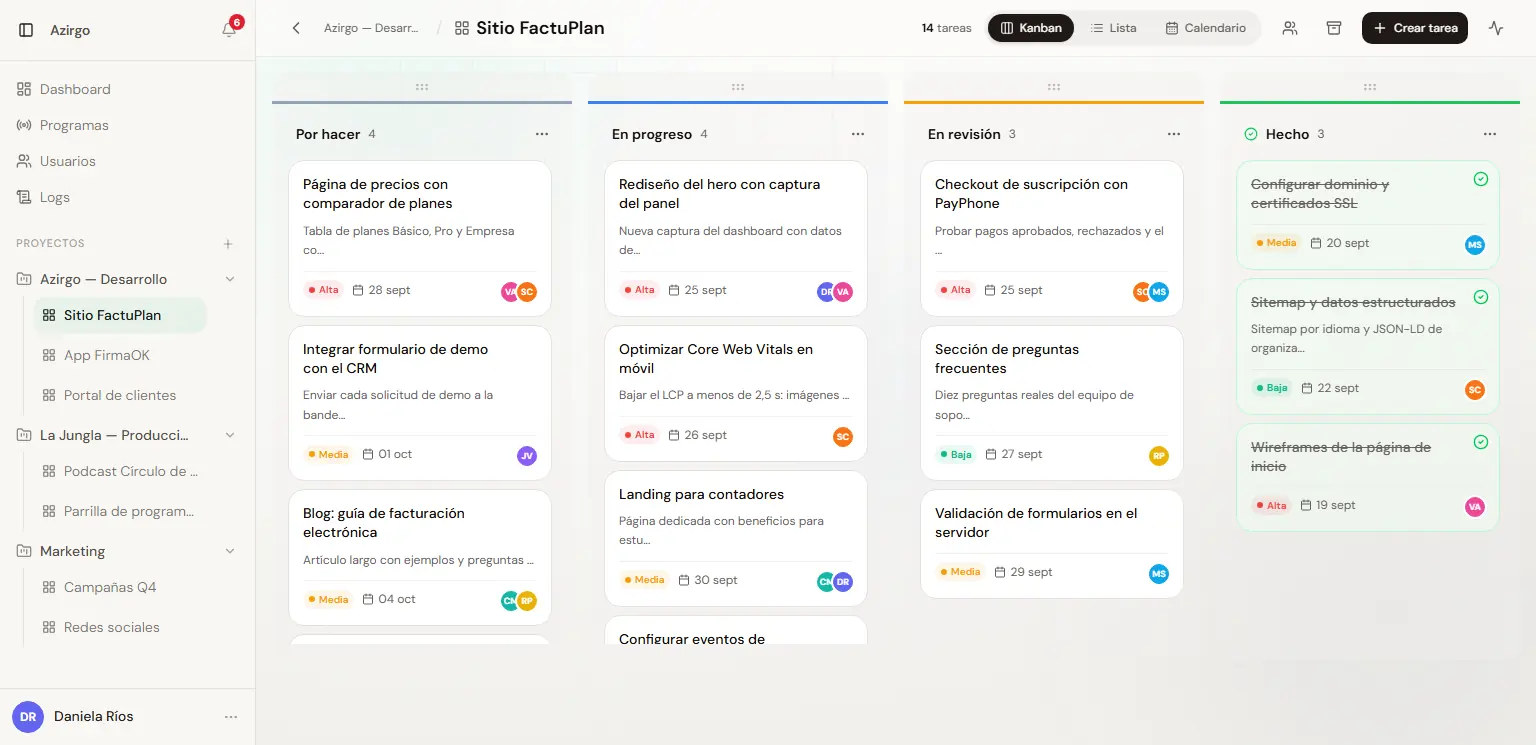
- Projects (workspaces) with members and boards: each user sees only the projects they belong to, admins see all of them, and a board can be narrowed to specific members within its project.
- Kanban board with drag and drop of tasks between columns and column reordering; moving a task into the done column marks it complete, and moving it out reopens it.
- Three views per board - Kanban, List and Calendar - and tasks with priority (High, Medium, Low), due date, several assignees, description, attachments and comments.
- Home dashboard with the urgent things first: tasks due today, pending, overdue and completed this week; for admins, also active boards, workload per member, delegated tasks and recent activity.
- In-app notifications - task assigned, edited, moved, commented on or due today - with an unread counter and a panel that separates what is due today or tomorrow.
- Emails with Resend and React Email: task assigned, task completed, a daily reminder per person with their overdue and pending tasks, and a team summary for admins.
- Programmes module for the podcast schedule: today's show with a countdown to its scheduling deadline, the full week with times and platforms, and weekly tasks that create themselves on each show's board.
- Activity log with 22 action types, per board and global, with filters by entity type, search and pagination.
- User management for admins: account creation, roles, blocking and deletion, with each person's pending, overdue and completed tasks and last activity.
How it's structured
A single Next.js application on Supabase: the dashboard queries the database directly with the user's session, and anything that needs privileges or external services goes through server-side API routes.
- Next.js 16 with the App Router and React 19; the dashboard screens are client components that read from Supabase with RLS applied to each user's session.
- 16 API routes for the sensitive parts: creating, blocking and inspecting users, signing in and out, password reset, board members, emails, programme configuration and generation, file uploads and the three cron endpoints.
- Supabase as the backend: PostgreSQL with 19 tables in use and the schema versioned in 14 migrations, Auth with email and password, and Realtime to refresh the board when tasks or columns change.
- The middleware refreshes the session on every request and sends anyone without one to the login page; admin routes share a role check and use a service-role client only for writes that must bypass RLS.
- Scheduled jobs with node-cron inside the Next.js process, registered from instrumentation.ts in Ecuador time.
- Emails with Resend and four React Email templates; attachments on DigitalOcean Spaces through the S3 SDK.
- The sidebar's projects and boards live in a Zustand store that stays fresh for 30 seconds, so navigating between boards does not repeat the same queries.
- Deployed as a Docker container built from Next.js's standalone output.
The programme schedule
The Programmes module connects the podcasts' publishing calendar with the board where the team does the work.
- Six shows defined in code with their day, publishing time, lead time for scheduling and platforms: YouTube, Spotify and Apple Podcasts.
- The view shows today's show with a countdown to its deadline, and the full week with times, platforms and how many people are assigned to each show.
- Each show is configured with a board, a target column and a team: those people receive the tasks and get access to the board.
- Weekly tasks are defined once - for example edit, thumbnail, clips and schedule the release - with their own day and time of appearance, priority, assignees and attachments; a task with no assignees falls to the show's team.
- Every 5 minutes the tasks whose moment has arrived are created, due the following day, and the record per template and episode prevents duplicates.
- A 45-day preview separates what has been created, what is due to be created now and what is still scheduled, and lets an admin bring creation forward by hand; if the server was down, the pass recovers the previous two days.
Alerts and reminders
The application alerts people through two channels, inside the dashboard and by email, so nobody has to check every board to know what is on their plate.
- Assigning, editing, moving, completing or commenting on a task notifies its assignees, except whoever made the change.
- Every day at 7:00 alerts are created for the tasks due that day, and a banner appears on arrival when there are pending notifications.
- Monday to Friday at 18:00 and Saturdays at 14:00, Ecuador time, each person receives an email with their overdue tasks from the last 30 days, their pending ones and what they completed that day; nothing is sent on Sundays.
- Admins can trigger the reminders or a team summary from the dashboard after reviewing the recipient list.
Inside the site
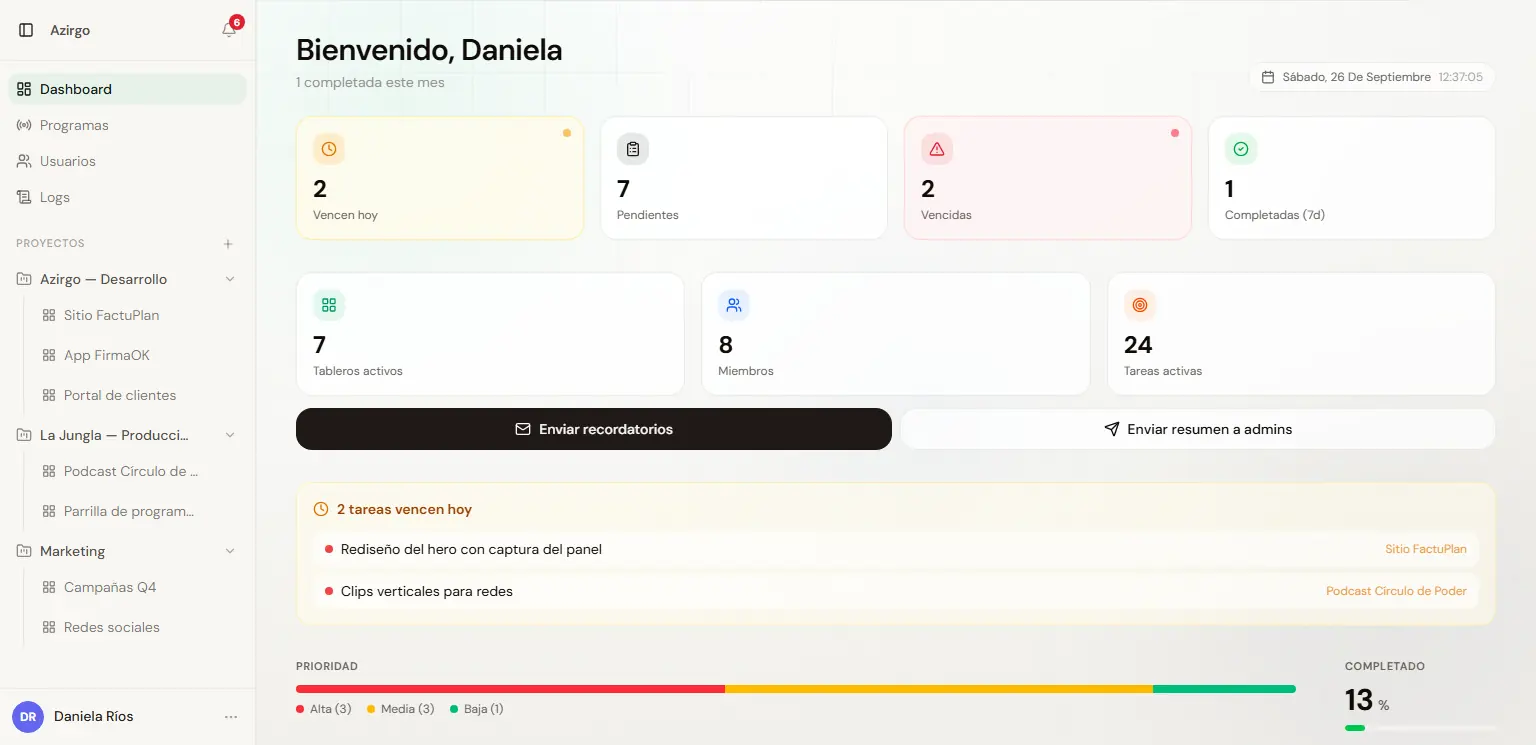
Home dashboard: due today, pending, overdue and team overview (sample data). 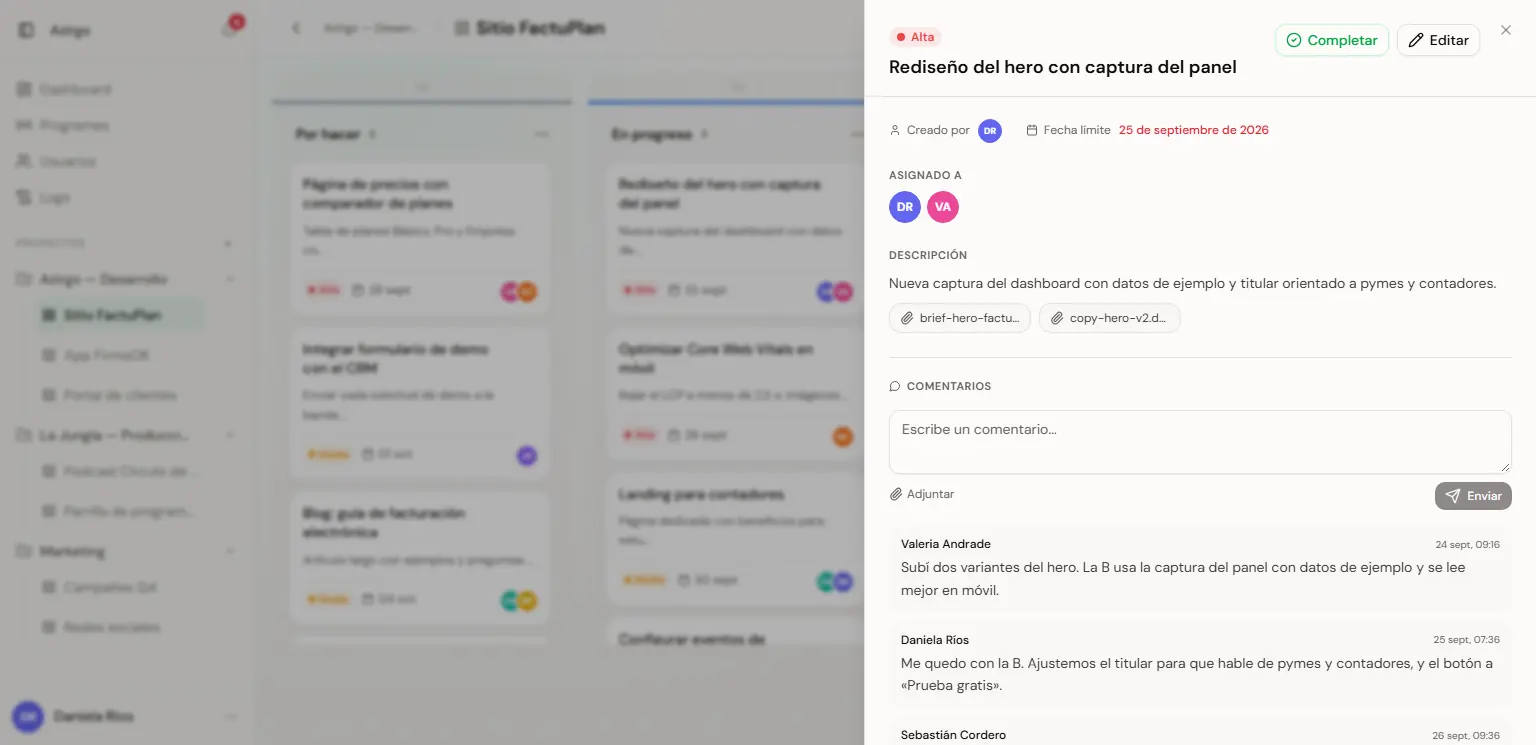
Task detail with priority, due date, assignees, attachments and comments (sample data). 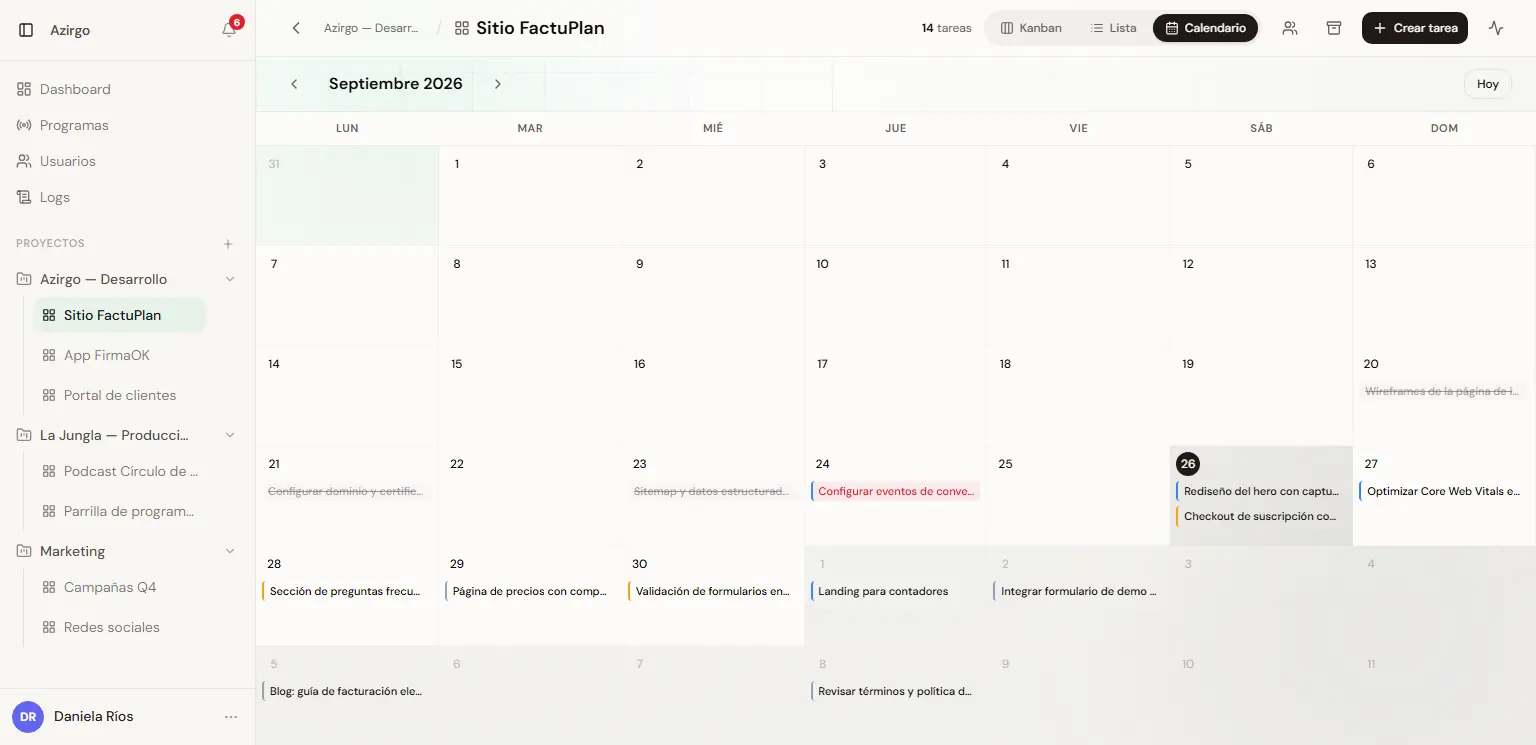
Calendar view with tasks by due date (sample data). 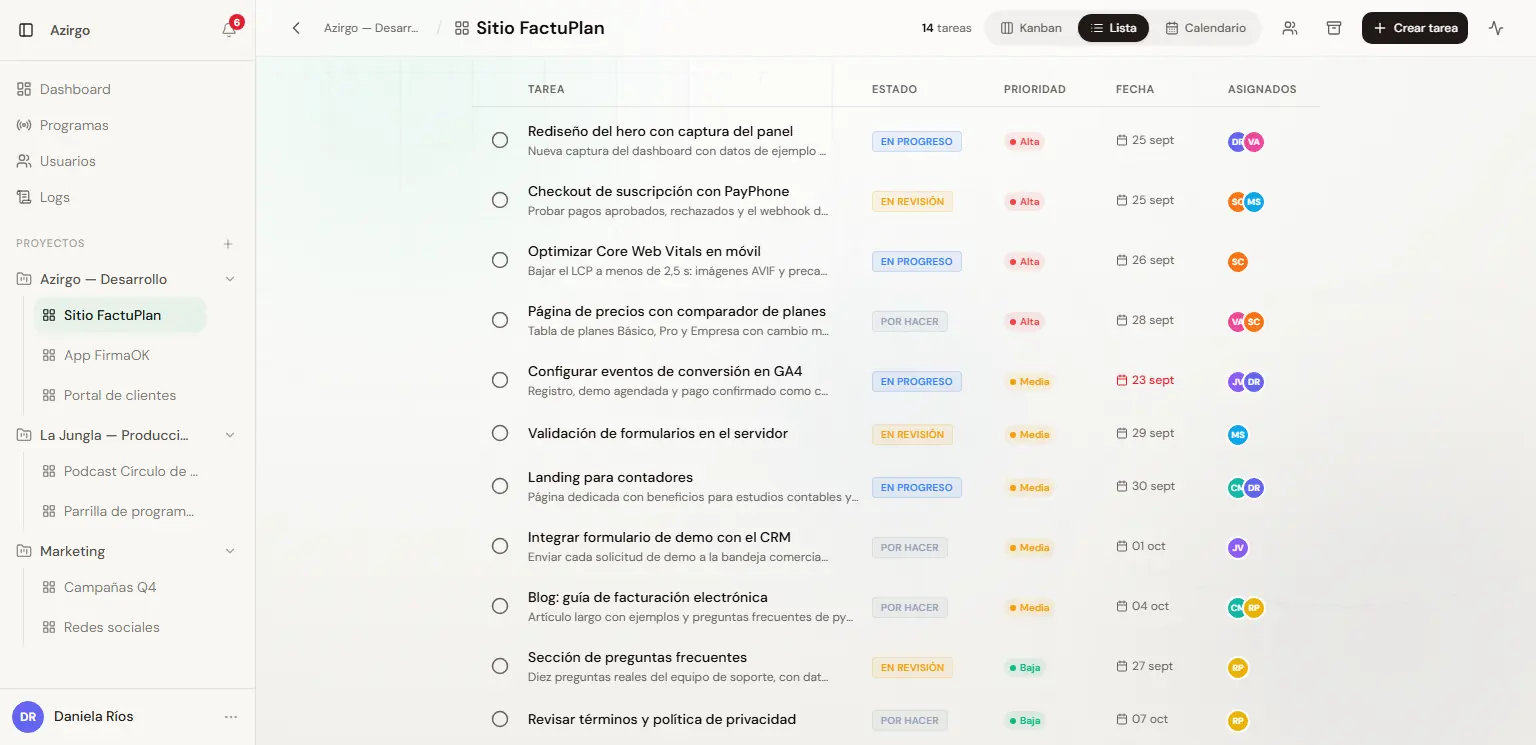
List view with status, priority, due date and assignees (sample data). 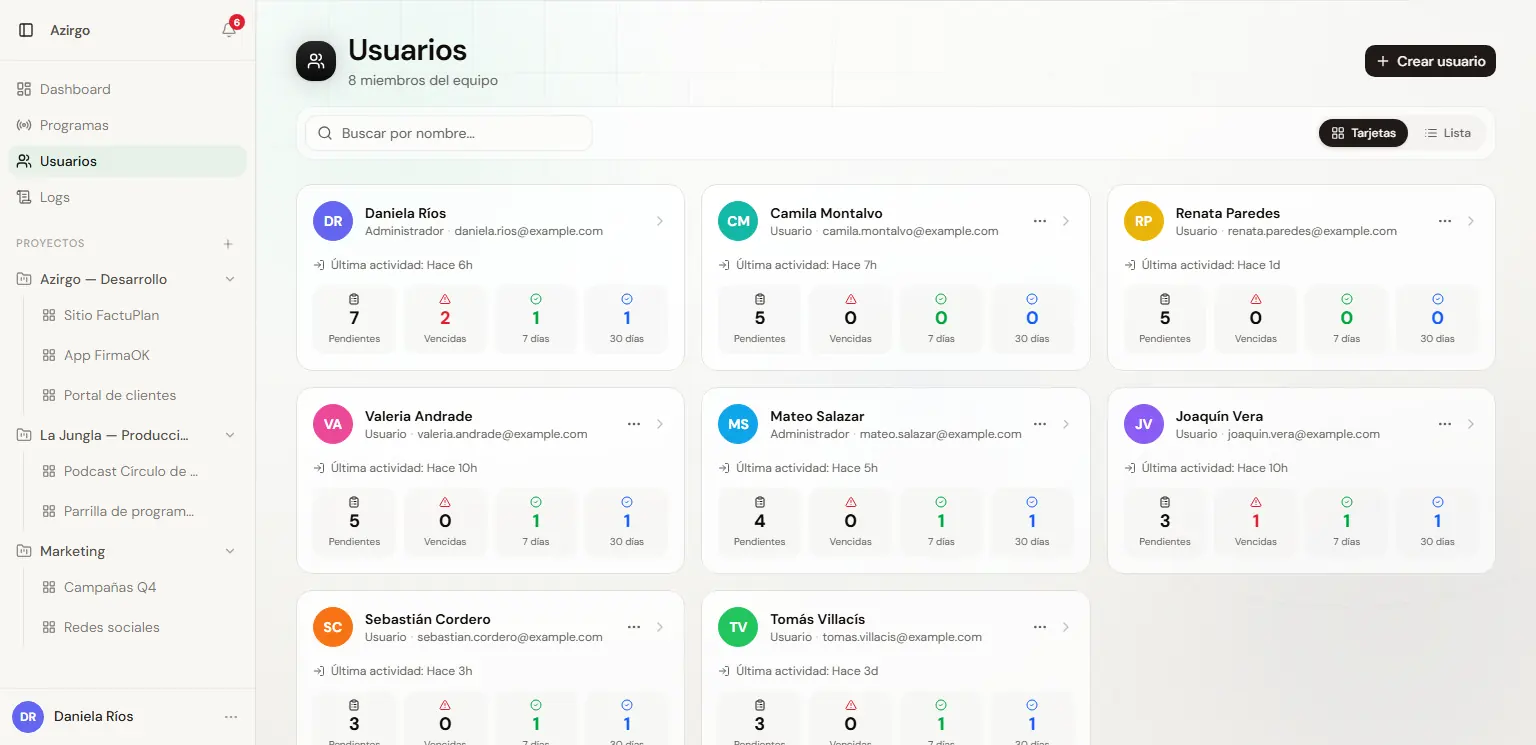
Users with role, last activity and pending, overdue and completed tasks (sample data). 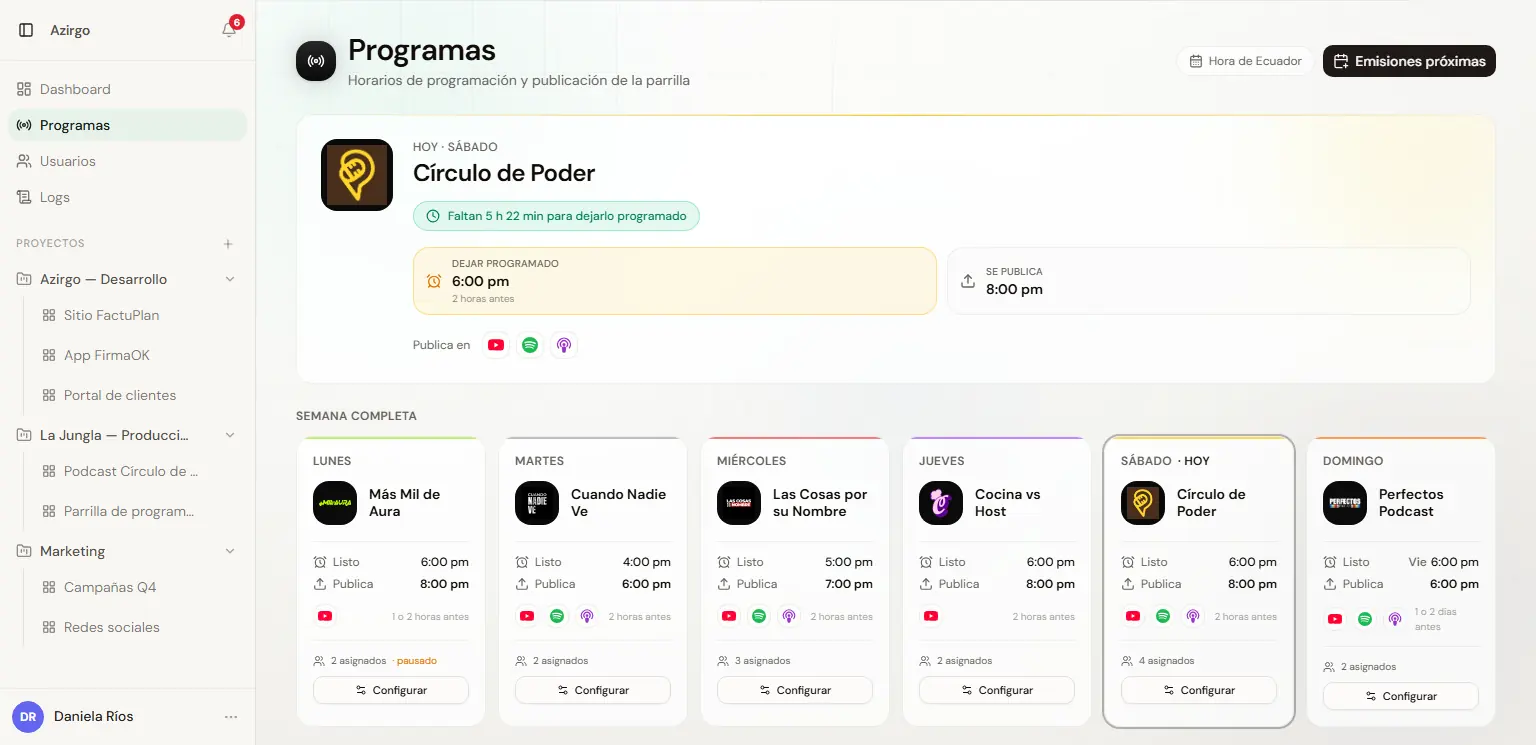
Shows: today's with its countdown and the weekly schedule (sample data).
The admin panel
Each module covers one part of the day-to-day operation, without leaving the panel.
Home
What is due today, pending, overdue and completed; for admins, active boards, members, workload per person, delegated tasks and recent activity.
Projects and boards
Projects with their members and boards with a description; boards can be duplicated with just their columns or with their tasks as well.
Tasks
Priority, due date, several assignees, description, attachments and comments; tasks completed more than 8 days ago are archived from the view.
Programmes
The weekly podcast schedule with a countdown, platforms and a team per show, and weekly tasks that create themselves on its board.
Notifications
Alerts for assignments, edits, moves, comments and due dates, with an unread counter and what is due today or tomorrow at the top.
Emails and reminders
Task assigned, task completed, a daily reminder per person and a team summary for admins, built with Resend and React Email.
Activity log
22 action types, per board and global, filterable by tasks, columns, boards, projects, users and comments.
Users
Account creation, admin or user role, blocking and deletion, with each person's task metrics and last activity.
Access and security
RLS policies per project and per board, a session refreshed in the middleware, blocked accounts that cannot sign in, and cron endpoints with their own secret.
Technical decisions
- Security lives in the database: RLS policies with helper functions such as is_admin, is_workspace_member and can_access_board decide which boards, columns and tasks each user sees, and editing a task is restricted to its assignees or an admin.
- Board members narrow access within the project instead of replacing it: a board with no explicit members stays visible to the whole project, so the boards that already existed kept working as before.
- Reminders run inside the Next.js process itself with node-cron, registered from instrumentation.ts, with no extra infrastructure. Since several instances would each send the same emails, a variable switches them off so they can be triggered from an external scheduler.
- The cron endpoints sit outside the session middleware and authenticate with a shared secret in a header, compared in constant time; if the secret is not configured, they reject every request.
- The schedule - each show's day, publishing time, lead time and platforms - lives in code because it is stable; the database only stores which board and column the tasks go to, who receives them and each week's templates.
- A template's attachments are uploaded once and every generated task points to the same file instead of duplicating it each week; uploads go to DigitalOcean Spaces and only accept images and PDFs of up to 10 MB.
Challenges
- Moving from one generic task per episode, which did not say what had to be done, to a list of tasks per show - edit, thumbnail, clips, publish - each with its own assignees, day and time, instantiated every week with that episode's date.
- Making generation idempotent and punctual: a unique record per template and episode stops tasks from being duplicated even if the job runs several times, and a pass every 5 minutes keeps a task set for 11:45 from taking up to an hour to appear.
- Fixing the board-members schema in production: the table already existed with an old schema, so its creation was a no-op and inserts failed; a follow-up migration added the generated id, the NOT NULL and UNIQUE constraints and cascading foreign keys, safe both on the old table and on a clean database.
- Reconciling soft deletes with RLS: marking a column as deleted made PostgREST's implicit RETURNING clash with the read policy, which was solved with a separate read policy for admins.
Result
Azirgo Kanban is in production as Azirgo's internal tool for organising its work by project and board. Email reminders and due-today alerts go out on their own, every change is logged, and each show's weekly tasks appear on its board at the configured time with their assignees already set.