E-commerce · Tech retail
PCCoreA tech store that keeps the wholesaler's catalogue current and tracks the workshop's repairs
PCCore's online store: a catalogue synced with the wholesaler, payment by PayPhone, bank transfer or cash, and repair tracking by QR code.
Technologies
- Next.js 16
- React 19
- TypeScript
- NestJS 11
- PostgreSQL
- Bun + Turborepo
- Tailwind CSS v4
- shadcn/ui
- next-intl
- React Hook Form + Zod
- TipTap
- Recharts
- React Email + Resend
- ExcelJS
- sharp
- Cloudflare R2
- PayPhone
- Bun test · Playwright
- Docker
- Railway
22
admin panel sections
9
editable transactional emails
3
payment methods
My role
Full stack development of the store - catalogue, checkout, customer accounts and admin panel -, from the wholesaler integration and the migration off the previous store to the Railway deployment. Delivered through NM Tech Studio.
The problem
PCCore sells computers, printers and accessories in Durán, Ecuador, and also repairs devices. Its previous online store ran on Stock Manager Advance, on MySQL, apart from the workshop's system: same business, same customers, yet someone who had already left a laptop for repair was a stranger at checkout, and finding out how a repair was going or what it would cost meant calling the shop. The new store had to sell online with the catalogue of its wholesaler, Siglo 21, and at the same time be the front door to the technical service.
What I built
- A store with a catalogue filterable by category, brand and price range, search, product pages with a gallery, cart and checkout for guests or registered customers.
- Payment by PayPhone, bank transfer or cash, and home delivery priced by province or city, or in-store pickup.
- Customer accounts with a dashboard, order history, addresses, profile and password change.
- Automatic sync with the Siglo 21 wholesaler's API: price with the configured margin, category, brand, spec sheet and images hosted on Cloudflare R2.
- Public repair tracking: the QR code printed on the workshop's work order, or the order number plus national ID, shows the stage, the technician's report, the notes and the quote.
- A technical-service page editable from the admin panel - services, process, coverage areas and FAQs - with a form that composes the request and sends it over WhatsApp.
- An admin panel with 22 sections in five groups: general, catalogue, sales, marketing and system.
- Nine transactional emails sent through Resend - order confirmation, payment received, ready for pickup, payment reminder and more -, with templates editable and previewed in the admin panel.
- First-party analytics: visits, product views and searches over 7, 30 and 90-day windows, with the most viewed products and the top searches.
How it's structured
The store is NovaCart - the same platform behind Rolo Electronics - in its own Bun workspace with Turborepo, inside the workshop's monorepo. It deploys separately and shares only the PostgreSQL database with the workshop.
- apps/web: Next.js 16 with the storefront and the admin panel in a single app; writes are server actions, and API routes are kept for exports, payments and public queries.
- apps/api: NestJS 11 for authentication and scheduled jobs - the wholesaler sync, the purge of deleted products and the backups -.
- packages/db with 59 SQL migrations, the single source of truth for the schema, and packages/auth-contract with the JWT contract shared by the web and the API.
- Data through parameterised SQL over pg via four client factories, sessions as HS256 JWTs the web verifies locally with the shared secret, and files on Cloudflare R2.
- Rotating refresh tokens: each one is used only once and stored as a SHA-256 hash; if someone reuses an old one, all of that user's sessions are closed. Sign-in is locked after failed attempts.
- Spanish routes (/productos, /servicio-tecnico, /seguimiento) with English and French switchable from the admin panel; the sitemap and hreflang only advertise the active languages.
- Deployed on Railway as two services - the API and the web -, each with its own Dockerfile, non-root container and health check, which on the API also checks PostgreSQL. The store's backups go to R2 on their own schedule.
- Tests with Bun test on the web and the API, run in CI alongside the build on every push and pull request, plus five end-to-end test files with Playwright.
The catalogue, synced with the wholesaler
The store's API walks Siglo 21's product list page by page and turns it into store products, with price, category, brand, spec sheet and images.
- Automatic passes within the hours set in the admin panel - by default Monday to Friday, 8:00 to 18:00, Ecuador time -, with a configurable interval and batch size and a button to run it by hand at any time.
- Price = cost ÷ (1 − margin) and, if the store publishes VAT-inclusive prices, × (1 + VAT). The margin is a percentage of the selling price, not a markup on cost: with a cost of $1,123.19 and a 20% margin the net sale is $1,403.99, and with 15% VAT it is published at $1,614.59.
- Name, price and description can be pinned by hand on each product, or the product can be taken out of the sync; the pass respects what is pinned and records in the product's history what the supplier wanted to change, signed as "Siglo 21".
- The spec sheet the supplier sends as HTML is cleaned before it is stored and keeps only tables, lists and text.
- Category rules ported from a WordPress plugin, and brand aliases - "HPINC" ends up as "HP" - so the next pass does not recreate the duplicate.
- Every pass is logged with what was created, updated and deactivated, and its details open from the admin panel.
Repair tracking from the store
The workshop and the store share the database, so tracking does not go through the ERP's API: the page reads the work order directly, read-only, and shows it to the customer with the same credential they have on paper.
- Two ways in: the QR code printed on the work order opens /seguimiento with its token and the record appears without typing anything; by hand, it is looked up with the order number and the owner's national ID.
- The record shows the stage - received, in progress, ready, delivered -, the device, the fault, the accessories, the technician's report, the workshop's notes and the quote with its amounts.
- Every lookup is a fresh read with no page cache: a stored response would show "in repair" hours after the device was ready.
- A token that does not exist does not end in a 404 but in the form with a notice: the paper may be smudged and the manual route stays open.
- On a phone the record sits right under the title, so whoever scans the QR code sees the status without scrolling.
- URLs carrying a token are noindex and the sitemap only lists the empty form; the store header carries a "Consulta tu equipo" (check your device) link.
Local SEO for the technical service
The technical-service page is the one that answers people looking for a repair in Durán and Guayaquil, so its markup and its text come from the same data edited in the admin panel.
- ComputerStore structured data - a LocalBusiness subtype - from a business-details editor: address, phone, hours and coordinates.
- A graph with the business, the Service with its catalogue of services and areas served - Durán, Guayaquil and Guayas -, the FAQPage with the same questions shown on screen, and the breadcrumb trail.
- Phone and hours also as crawlable text, read from the same configuration as the markup so they never contradict each other; the opening-hours question drops out when no hours are set.
- Links from the technical service into the catalogue's categories: people who come for a repair often need the part, and the page stopped being a dead end for crawlers.
- robots.txt excludes the admin panel, account, cart, checkout and authentication in all three languages, plus the API routes and the listing's filter parameters; the sitemap regenerates every hour.
- An absolute title on the technical-service page, so the template does not repeat the brand and push the title past Google's cutoff.
Inside the site
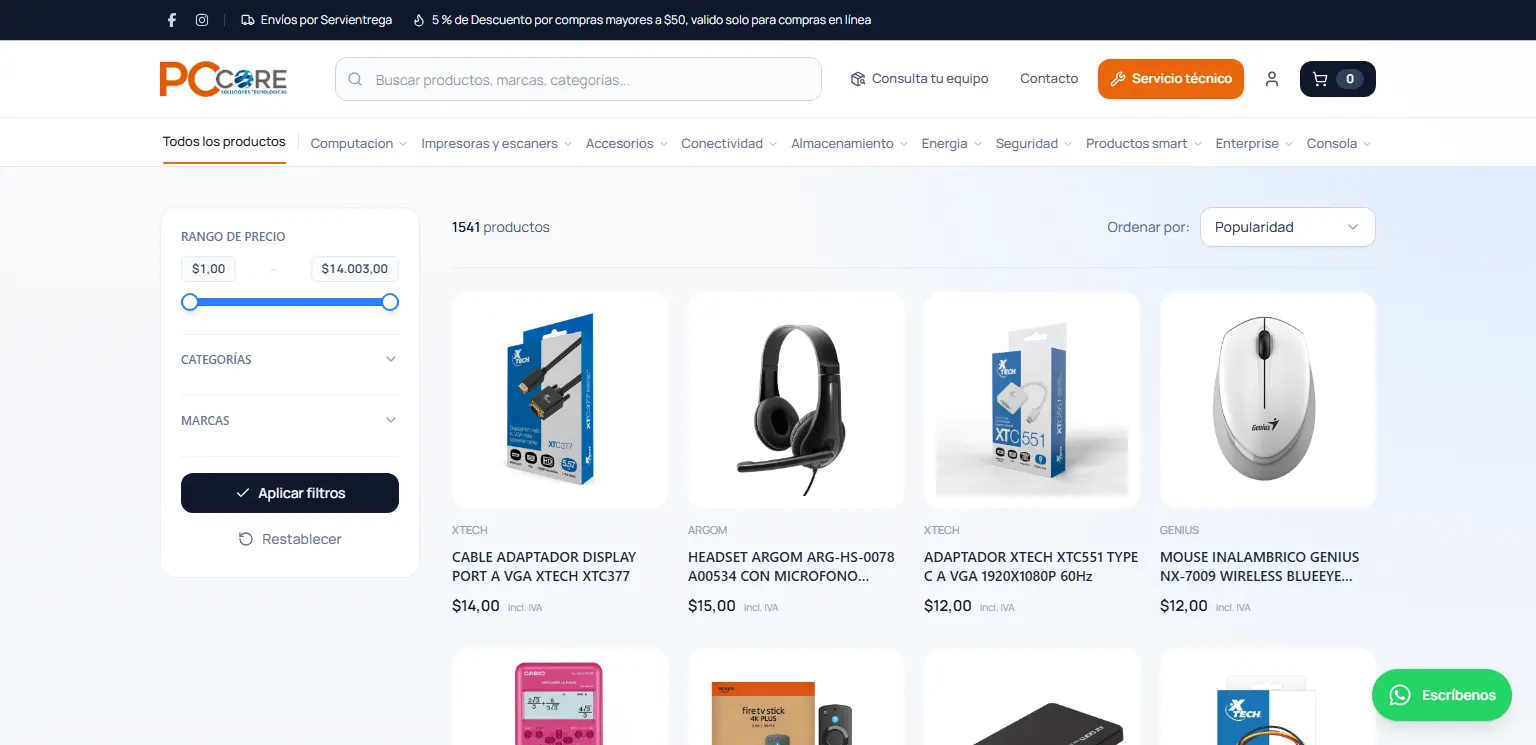
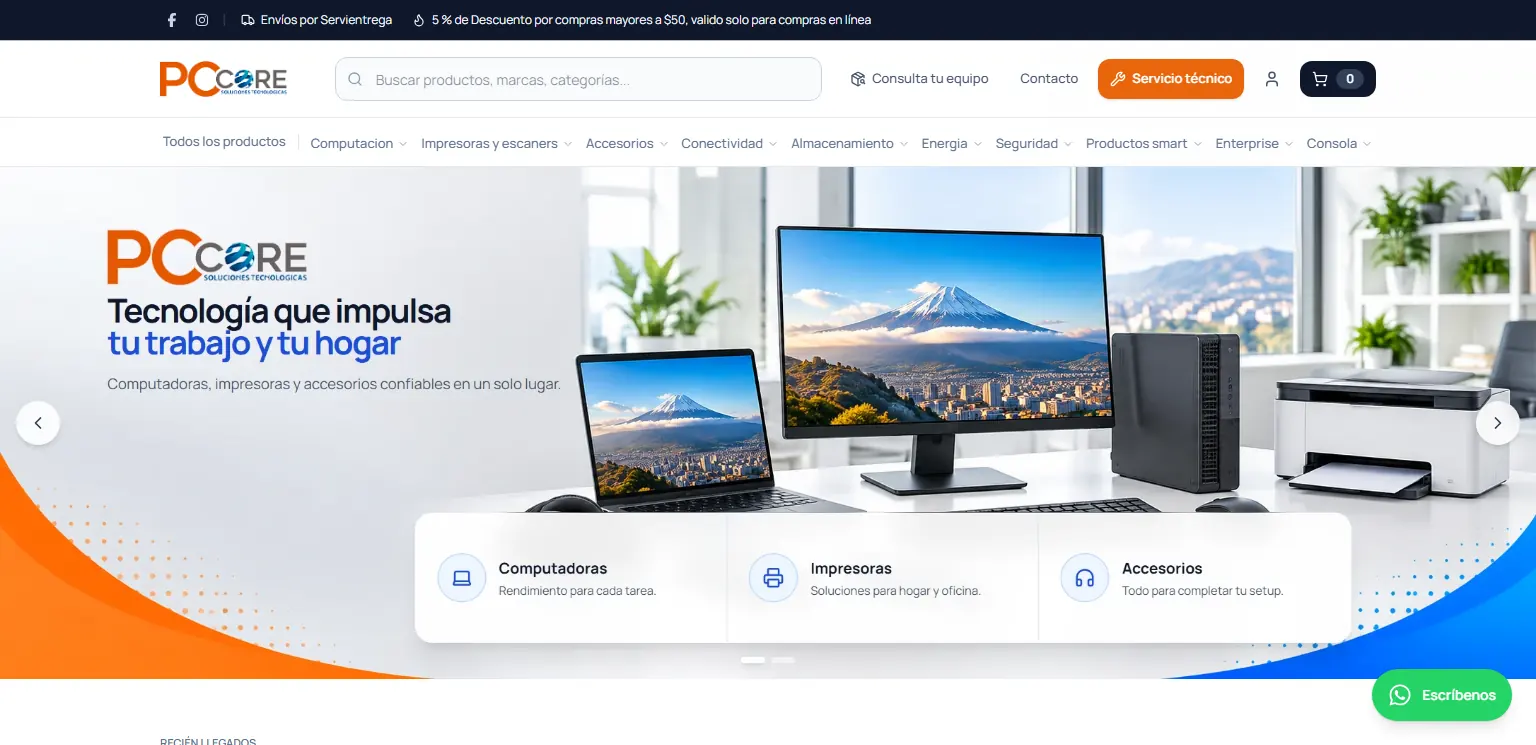
Catalogue with price, category and brand filters. 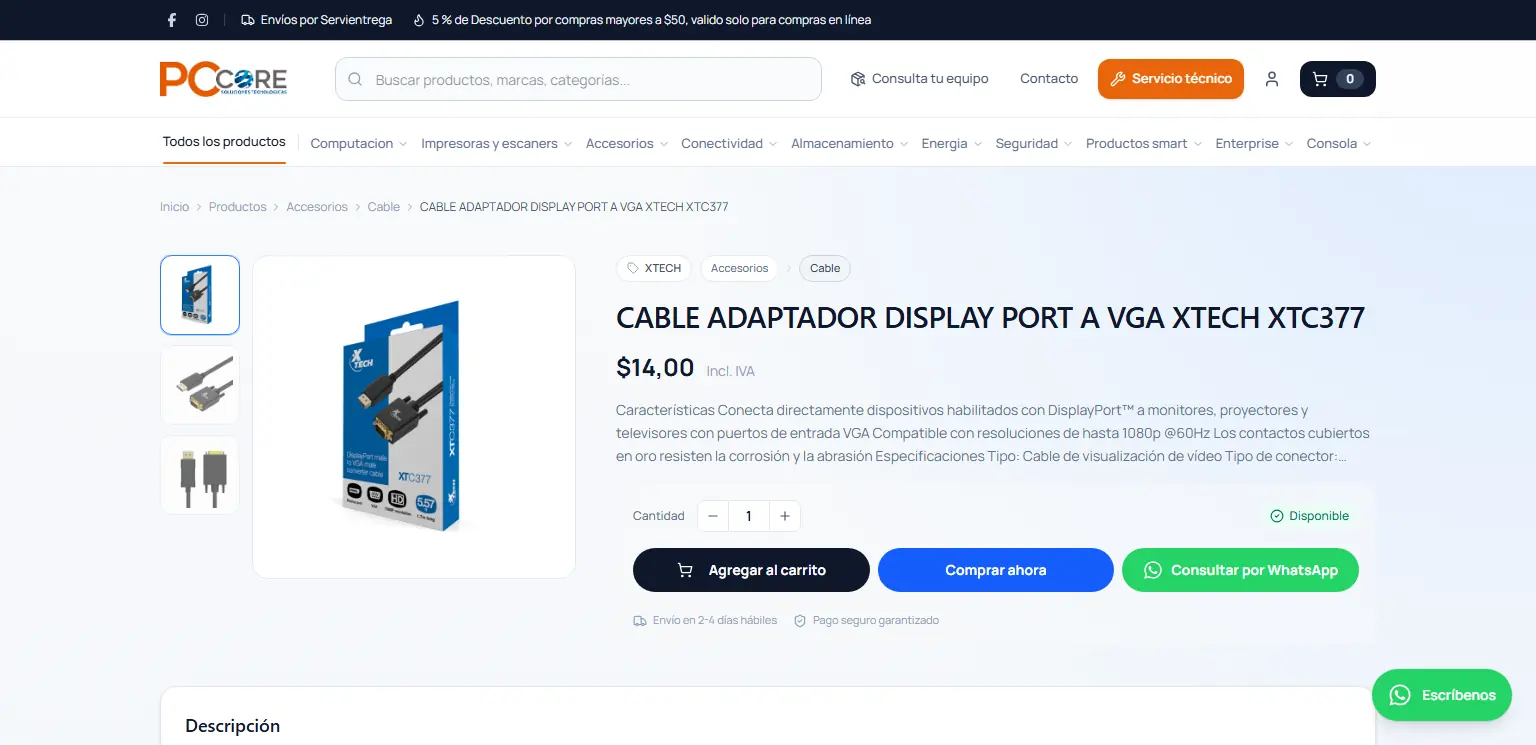
Product page with gallery, price, cart, buy-now and WhatsApp enquiry. 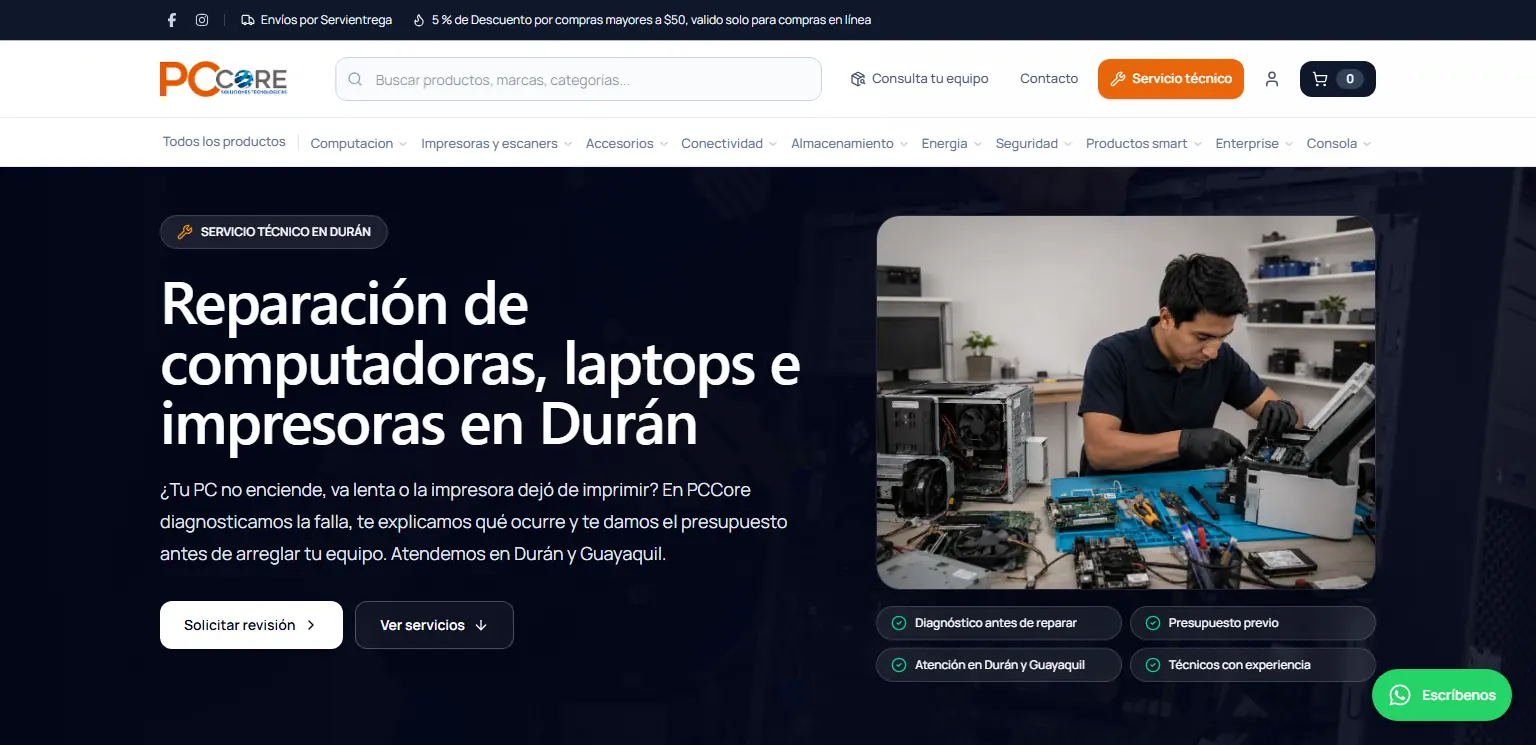
Repair-service page that sends customers to the workshop. 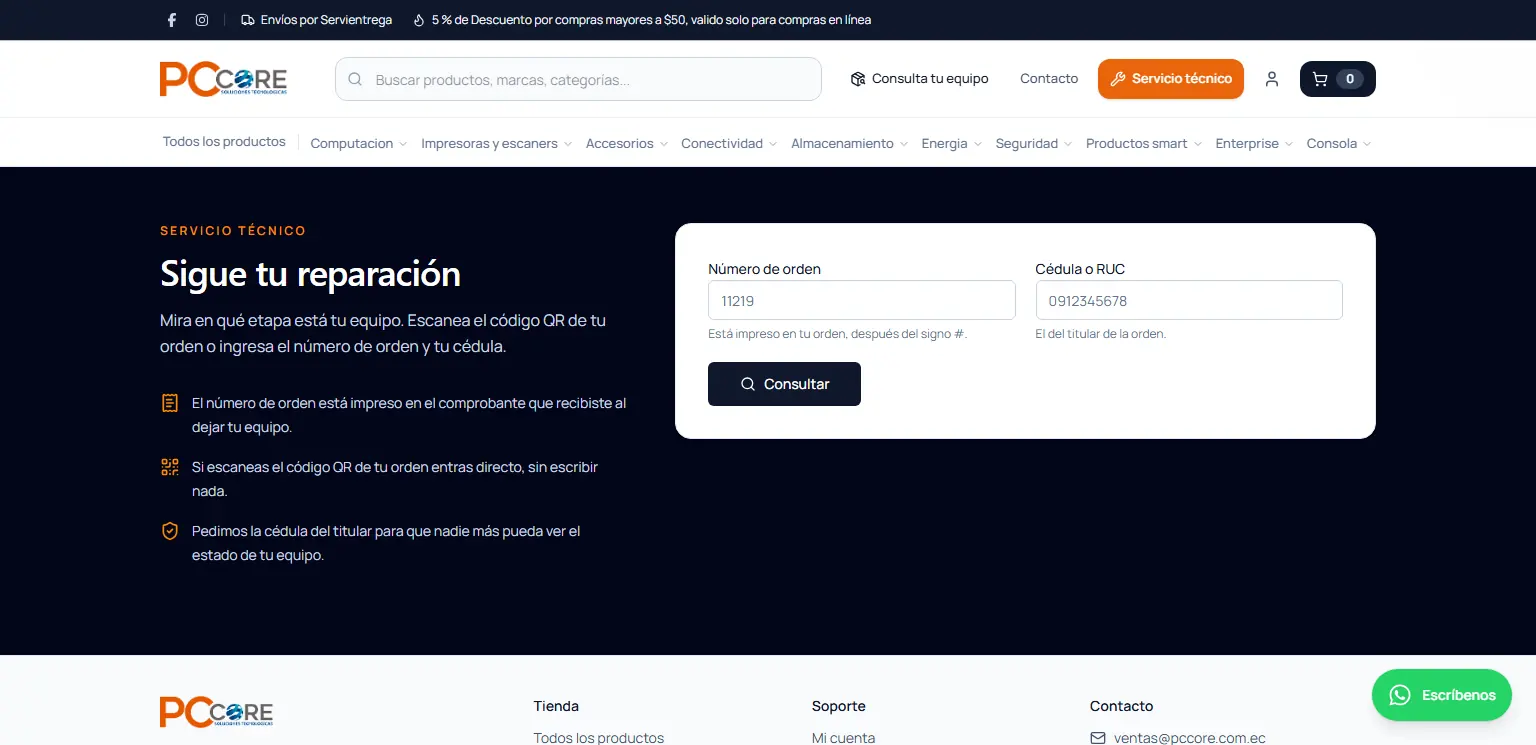
Repair tracking: order number or QR code plus the owner ID number.
The admin panel
Each module covers one part of the day-to-day operation, without leaving the panel.
Overview
Sales and their trend, orders by status, best-selling products and visits over the last 30 days, with quick links to the rest of the panel.
Analytics
First-party visits, product views and searches over 7, 30 and 90-day windows, with the most viewed products and the most frequent searches.
Products
Create, edit and import from Excel, image gallery, duplicate detection, change history and fields pinned by hand so the sync does not overwrite them.
Categories and brands
The taxonomy that feeds the store's filters; brand variants sent by the supplier are merged into one through aliases.
Reviews
Moderation of product reviews, one at a time or in bulk.
Orders
Statuses by delivery or pickup, editing of lines and shipping, balance settlement, payment reminders, attached payment receipts and printing; the sidebar counts the ones still waiting on something.
Abandoned checkouts
People who filled in their details at checkout and did not pay, with name and phone number to call them.
Customers
A record for each buyer with their ID, orders, total spent and average order value, plus the option to block the account.
Coupons
Discounts with their usage rules, validated at checkout.
Shipping
Rates by province or city across Ecuador's 24 provinces, a per-product cost of its own and free in-store pickup.
Payments
PayPhone with its fee passed on to the total, bank transfer with the store's bank accounts, and cash.
Emails and newsletter
Nine transactional templates with variables and preview, plus the newsletter subscriber list.
Content
Home page, banners, product strips, testimonials, FAQs, pages and the technical-service page, all editable without a deploy.
Siglo 21 integration
Sync margin, schedule and batch size, a history of every pass with its details, and how many prices a new margin would change before saving it.
Settings
Identity and colours, tax, active languages, business details for the structured data, header and footer, and the switch that closes the store.
Users, roles and backups
Administrator, editor and viewer roles, custom roles over 14 resources, and store backups on R2, all reserved for the administrator.
Technical decisions
- One database shared with the workshop, with separate owners: the store keeps its 59 SQL migrations and the workshop keeps its own in Prisma. Crossings are targeted reads - tracking reads the work orders, checkout reads the customer records -, and the store's backup lists its own tables, because both platforms live in the same schema: the workshop names its tables in Spanish and the store in English.
- Plain PostgreSQL without rewriting the logic: a query builder turns the same chainable, PostgREST-style interface the whole codebase uses into parameterised SQL over pg. Since every data access goes through four client factories, swapping the client was enough to move the entire app without touching business rules.
- The PayPhone fee is passed on by dividing, not adding: at the published rates the gateway keeps 5.75% of what it charges, so adding that percentage to $100 charges $105.75 and leaves $99.67. Dividing charges $106.10 and the store receives exactly $100, worked out to the cent so the shopper is never overcharged.
- Free sources first: to fill in the buyer's details, the national ID or tax number is looked up in earlier checkouts, in orders and in the workshop's customer records, and only if nobody knows them is an external registry queried, which charges per lookup.
- Shipping is charged per product and per unit, not per order: a product can carry its own cost and the rest pay the destination rate. A 0 means "ships free" while an empty value falls back to the rate, and the same function computes what the cart shows and what the order stores.
- Order statuses are the same for delivery and pickup, but they are named for the case: an order the customer collects is not shown as "Shipped" but as "Ready for pickup". Splitting the statuses in two would have broken the history, the filters and the queries.
Challenges
- Protecting the only public query that hits the database without a session: 60 simultaneous tracking requests pushed the store's home page from 1.3 s to 7.0 s. It is now capped at 30 lookups per minute per IP, 3 connections out of a pool of 10 and a 15-second memory, so a flood slows that page down without leaving the catalogue or checkout short of connections.
- Keeping a supplier glitch from emptying the shop window: an empty page returned with HTTP 200 can be mistaken for the end of the catalogue. If a pass tries to deactivate more than 30% of the active products - and more than 50 -, the removal is cancelled and logged; and a product with no image waits as a draft until one arrives.
- Downloading third-party images without opening a door to the server: HTTPS only, no localhost or private networks, every redirect revalidated with a maximum of three, 20 seconds and 12 MB per file, and image types only. Whatever passes is converted to WebP and hosted on R2, with up to 3 images per product.
- Recovering the gallery the original migration had left behind: in Stock Manager Advance the secondary photos lived in a second table that was never read. They were recovered without altering a single main image.
Result
The store runs in production on Railway - its API and its web - on the same PostgreSQL as the workshop. The catalogue updates from the wholesaler within the hours the business sets, respecting anything pinned by hand; customers pay by PayPhone, bank transfer or cash, and anyone who has already been through the workshop finds their details filled in at checkout. The store is also the front door to the technical service: it takes requests over WhatsApp and shows how each repair is going, with no phone calls and no account needed.